CH04-基础图像操作
1. 图像的基础操作
1.1 获取像素值
import cv2
import numpy as np

img = cv2.imread('./img/CH03-1.jpg')
x,y,z = img.shape  # 获取图像的属性
print(img[int(x/2),int(y/2)])  # 获取这张图像中间像素点的像素值

x1,y1,z1 = img[int(x/4),int(y/4)]  # 左上角的中心
x2,y2,z2 = img[int(x*3/4),int(y/4)]  # 左下角的中心
x3,y3,z3 = img[int(x/4),int(y*3/4)]  # 右上角的中心
x4,y4,z4 = img[int(x*3/4),int(y*3/4)]  # 右下角的中心
1.2 修改像素点
img = cv2.imread('./img/CH03-2.jpg')
x,y,z = img.shape
for i in range(-10,10):
    for j in range(-10,10):
        img[int(x/4)+i,int(y/4)+j] = (0,0,0)  # 在左上角区域画一个正方形

for i in range(-10,10):
    for j in range(-10,10):
        img[int(x*3/4)+i,int(y/4)+j] = (0,0,0)  # 在左下角区域画一个正方形

for i in range(-10,10):
    for j in range(-10,10):
        img[int(x/4)+i,int(y*3/4)+j] = (0,0,0)  # 在右上角区域画一个正方形

for i in range(-10,10):
    for j in range(-10,10):
        img[int(x*3/4)+i,int(y*3/4)+j] = (0,0,0)  # 在右下角区域画一个正方形
cv2.imshow('img',img)
cv2.waitKey(0)
cv2.destroyAllWindows()
img2 = cv2.imread('./img/CH03-2.jpg')
x, y, z = img2.shape
start = time.time()
for i in range(-10, 10):
    for j in range(-10, 10):
        img2.itemset((int(x/4)+i,int(y/4)+j,0),0)  # 在左上角区域画一个正方形

for i in range(-10, 10):
    for j in range(-10, 10):
        img2.itemset((int(x*3/4)+i,int(y/4)+j,0),0)  # 在左下角区域画一个正方形

for i in range(-10, 10):
    for j in range(-10, 10):
        img2.itemset((int(x/4)+i,int(y*3/4)+j,0),0)  # 在右上角区域画一个正方形

for i in range(-10, 10):
    for j in range(-10, 10):
        img2.itemset((int(x*3/4)+i,int(y*3/4)+j,0),200)  # 在右下角区域画一个正方形
print(time.time() - start)
cv2.imshow('img2', img2)
cv2.waitKey(0)
cv2.destroyAllWindows()
1.3 拆分及合并图像通道
img = cv2.imread('img/CH03-3.jpg')
b,g,r = cv2.split(img)  # 通道拆分
cv2.imshow('img1',b)
cv2.waitKey(0)
cv2.imshow('img2',g)
cv2.waitKey(0)
cv2.imshow('img3',r)
cv2.waitKey(0)
im = cv2.merge((b,g,r))  # 通道合并
cv2.imshow('merge',im)
cv2.waitKey(0)
cv2.destroyAllWindows()
1.4 图形扩边
cv2.copyMakeBorder(src, top, bottom, left, right, borderType)
| 参数 | 说明 |
|---|---|
| src | 输入的图像 |
| top | 上轮廓填充的像素点数目 |
| bottom | 下轮廓填充的像素点数目 |
| left | 左轮廓填充的像素点数目 |
| right | 右轮廓填充的像素点数目 |
| borderType | 添加轮廓的类型 |
borderType参数:
| 参数 | 说明 | ||||
|---|---|---|---|---|---|
| cv2.BORDER_CONSTANT | 添加有颜色的常数值轮廓,同时需要 value 参数,即 value = (255,255,200) 或 value = [255,255,200] | ||||
| cv2.BORDER_REFLECT | 轮廓元素的镜像 例: edcba\ | \ | abcde\ | \ | edcba |
| cv2.BORDER_REFLECT_101 或 cv2.BORDER_DEFAULT | 与上述相同 例: edcb \ | \ | abcde \ | \ | dcba |
| cv2.BORDER_REPLICATE | 复制两段的第一个元素 例: aaaaa \ | \ | abcde \ | \ | eeeee |
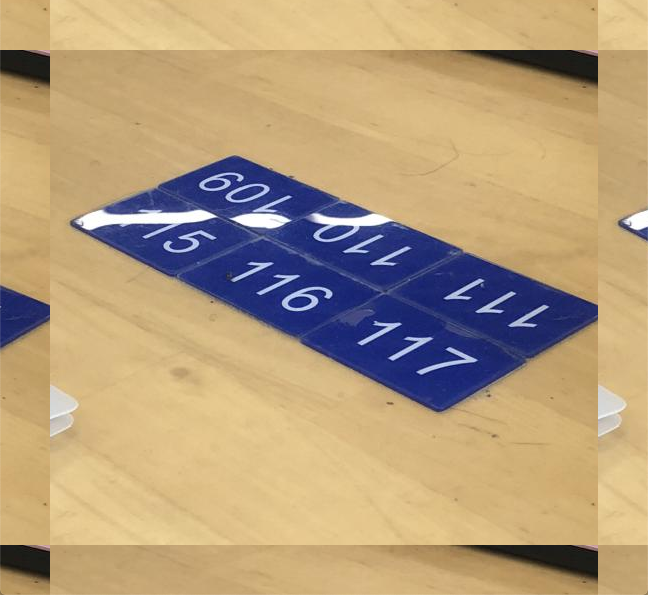
| cv2.BORDER_WRAP | 复制两个边缘调换的 例: abcde \ | \ | abcde \ | \ | abcde |
img = cv2.imread('img/CH03-3.jpg')
img = cv2.copyMakeBorder(img, 50, 50, 50, 50, cv2.BORDER_WRAP)
cv2.imshow('img',img)
cv2.waitKey(0)
cv2.destroyAllWindows()
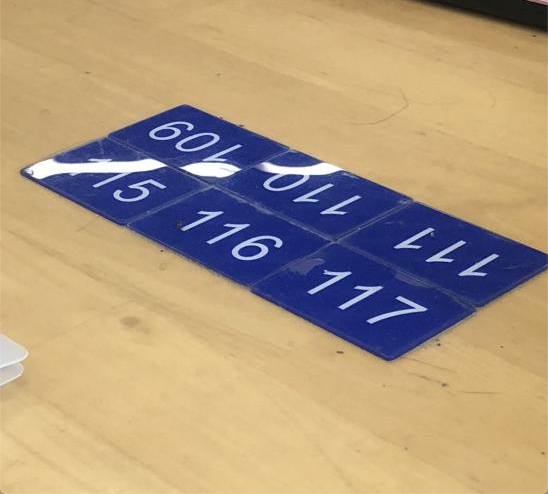
| 原图 | 第五种扩边效果 |
|---|---|
 |
 |
2 图像的算术操作
2.1 图像加法
cv2.add(img1, img2)
两张图像的大小必须一致,或者加数为简单的标量
| 参数 | 说明 |
|---|---|
| img1 | 被加数,即第一张图像 |
| img2 | 加数,即第二张图像,也可以是一个标量 |
img1 = cv2.imread('img/CH03-4.jpg')
img2 = cv2.imread('img/CH03-5.jpg')
img3 = cv2.add(img1, img2)
cv2.imshow('img',img3)
cv2.waitKey(0)
cv2.destroyAllWindows()
2.2 图像加权
cv2.addWeighted(src1, alpha, src2, beta, gamma)
C = 0.7 × a + 0.3 × b + k
| 参数 | 说明 |
|---|---|
| src1 | 第一张图像 |
| alpha | 第一张图像的权重 |
| src2 | 第二张图像 |
| beta | 第二张图像的权重 |
| gamma | 附加常数 |
img1 = cv2.imread('img/CH03-4.jpg')
img2 = cv2.imread('img/CH03-5.jpg')
img3 = cv2.addWeighted(img1, 0.6, img2, 0.4, 0.2)
cv2.imshow('img', img3)
cv2.waitKey(0)
cv2.destroyAllWindows()
2.3 图像逻辑运算
cv2.bitwise_not(img, mask = None) # 将图像的像素值按位取反
cv2.bitwise_and(img1, img2, mask = None) # 将图像的像素值按位与
cv2.bitwise_or(img1, img2, mask = None) # 将图像的像素值按位或
cv2.bitwise_xor(img1, img2, mask = None) # 将图像的像素值按位异或
| 参数 | 说明 |
|---|---|
| img | 处理的图像 |
| img1 | 进行操作的第一张图像 |
| img2 | 进行操作的第二张图像 |
| mask | 进行操作时用到的掩膜 |
位运算:
| 参数 | 说明 |
|---|---|
| AND | 当且仅当两个像素值都大于 0 时,才为真 |
| OR | 如果两个像素中的任何一个大于 0 时,则为真 |
| XOR | 当且仅当两个像素值转换为二进制时进行异或计算 |
| NOT | 倒置图像中的开和关像素值 |
img1 = cv2.imread('img/CH03-4.jpg')
img2 = cv2.imread('img/CH03-5.jpg')
img3 = cv2.bitwise_xor(img1, img2, mask=None)
cv2.imshow('img', img3)
cv2.waitKey(0)
cv2.destroyAllWindows()